
A Ring camera in Las Vegas live-streamed a hacker’s voice taunting an 8-year-old girl through the device in her bedroom. A Wyze camera glitch exposed still images from 13,000 users’ home feeds to the wrong accounts. An ADT technician admitted to accessing customer cameras to watch women in their homes over 9,000 times over four years. None of these are edge cases or theoretical scenarios — they’re documented incidents from the past five years involving mainstream consumer security cameras that millions of people have in their homes right now. The cameras you bought to make your home safer were, in each of these cases, doing the opposite. Here’s what actually happened and how to stop it from happening to you.
How Home Cameras Actually Get Hacked
Before fixing anything, it helps to understand exactly how unauthorized access to home cameras happens. There are four distinct attack vectors, each requiring a different response. Lumping them all together as “hacking” is why most advice on this topic is vague and unhelpful.
Attack Vector 1: Default and Reused Passwords
The most common and the easiest to execute. Many cameras ship with default credentials — “admin/admin,” “admin/password,” or a username and password printed on the camera’s label. People set up the camera, skip the password change step, and move on. Automated scanners trawl the internet looking for devices with factory default login credentials 24 hours a day. If your camera is accessible from the internet with factory defaults, it’s likely been found. Reused passwords are nearly as bad: if you use the same password for your camera app as for any other service that has suffered a data breach, your credentials are probably already in a leaked database that attackers test automatically.
Attack Vector 2: Unpatched Firmware Vulnerabilities
Camera manufacturers find and patch security vulnerabilities in firmware on a rolling basis. The patching only helps you if you apply the updates. A camera running firmware from 2021 in 2026 may have six or more publicly documented, exploitable vulnerabilities that have never been patched on your device. These vulnerabilities are published in security databases and actively exploited by automated tools that require no skill to run.
Attack Vector 3: Compromised Cloud Accounts
Most consumer cameras route video through the manufacturer’s cloud servers. When you watch your camera feed on your phone, you’re actually pulling the stream from Amazon, Ring, Nest, or Wyze’s servers — not directly from your camera. When those servers are breached, or when your account credentials on those platforms are compromised, the attacker sees the same feed you do. This is what happened in the Wyze incident: a server misconfiguration exposed cached frames to the wrong user accounts. You did everything right and it still happened.
Attack Vector 4: Network Infiltration
If an attacker has access to your home Wi-Fi network — through a compromised router, a weak network password, or a device that was already infected — cameras on that network can be accessed directly without needing to go through the manufacturer’s cloud at all. This is the “lateral movement” attack pattern: compromise any device on the network, then pivot to the cameras. Smart TVs, cheap smart plugs, and other budget IoT devices are common entry points onto networks that also host cameras.
Five Steps That Actually Close These Attack Vectors
Change Every Default Password — Right Now, Before Anything Else
This is the single most impactful thing you can do and it costs nothing. Every camera, every router, every smart home hub with a web interface or app login: change the default password to a strong unique one. “Strong and unique” means a password that isn’t used anywhere else and isn’t guessable. A password manager generates and stores these for free — Bitwarden is free, open-source, and audited. Use it.
Specific things to change that people routinely skip:
- The camera app login. Your Ring account, Wyze account, Arlo account — these are the credentials that control your live feed. If these are compromised, everything else is irrelevant.
- The camera’s local admin interface. Many cameras have a separate web interface accessible from the local network at a local IP address. This often has default credentials independent of the app login. Find the manual, look it up.
- Your router’s admin password. The default credentials for your router admin page are usually printed on the bottom of the router and are public knowledge for every model. Change them.
- Your Wi-Fi password. If it’s still the ISP-assigned default, change it to something you generated.
None of this requires any product purchase. It requires 20 minutes and a password manager.
Enable Two-Factor Authentication on Every Camera App Account
Two-factor authentication (2FA) means that even if someone has your correct username and password — whether through a data breach, phishing, or simply guessing — they still can’t log into your account without a second verification factor. For camera apps, enabling 2FA means a stolen password alone doesn’t give an attacker access to your live feed.
How to enable it: in your Ring, Wyze, Arlo, Nest, or Eufy app, go to Account Settings → Security → Two-Factor Authentication. Use an authenticator app (Google Authenticator, Authy, or Microsoft Authenticator) rather than SMS 2FA if given the choice — SMS-based 2FA can be defeated by SIM swapping attacks, while an authenticator app cannot.
For the highest level of account security, a hardware security key provides phishing-resistant 2FA that software-based methods can’t match. Yubico’s YubiKey is the standard — it’s a physical USB/NFC device you tap to authenticate. It cannot be phished because the authentication is cryptographic and tied to the specific website you’re logging into. Overkill for most people, but worth knowing it exists if you’re particularly concerned about account-level access.
→ YubiKey 5 NFC on Amazon → YubiKey 5C NFC (USB-C) on Amazon
Enable Automatic Firmware Updates on Every Camera
Camera firmware updates patch security vulnerabilities. A camera running outdated firmware is a camera with publicly documented, actively exploited security holes. The fix requires no technical knowledge: go into each camera’s app settings and find the firmware update section. Enable automatic updates if the option exists. If it doesn’t, check the firmware version manually once a month and apply updates when available.
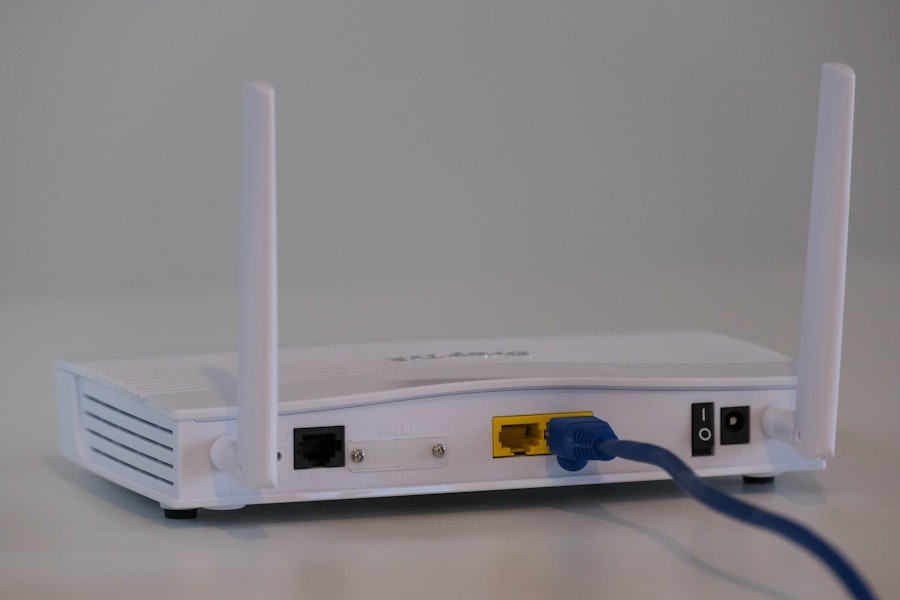
While you’re there, check the router too. Router firmware updates are the most commonly skipped security maintenance task in home networks. A router running firmware from 2020 has years of unpatched vulnerabilities. Log into your router admin panel (usually 192.168.1.1 or 192.168.0.1 in a browser), find the firmware update section, and either enable automatic updates or check and apply manually.
One practical note: some cameras require the app to be open and connected to apply updates — they don’t update in the background. Build a habit of opening your camera apps once a month and checking. It takes two minutes.
If your router is more than 5–6 years old, it may no longer receive firmware updates from the manufacturer at all. An unsupported router with no available patches is a security liability regardless of how strong your Wi-Fi password is. The eero 6 mesh system receives automatic security updates from Amazon and has an excellent track record for pushing patches promptly.
→ Amazon eero 6 Router (auto-updates) on AmazonPut Your Cameras on a Separate Network (IoT Segmentation)
Network segmentation sounds more technical than it is. The concept: instead of having your cameras, phones, laptops, and smart TVs all on the same Wi-Fi network where a breach of any one device can reach the others, you put cameras and other IoT devices on their own separate network. Even if a cheap smart TV gets compromised, it can’t then reach your camera feed because they’re on different networks that can’t see each other.
Most modern routers support a “guest network” — a separate Wi-Fi network with a different name and password that is isolated from the main network. This isn’t a full IoT VLAN, but it’s a meaningful improvement. Put all cameras, smart plugs, smart bulbs, and other IoT devices on the guest network. Keep phones, laptops, and computers on the main network. Lateral movement between the two is blocked by default on most routers.
For better home network security management, see our post on Wi-Fi vs. cellular security systems for additional context on network resilience.
- How to do it: Log into your router admin panel → look for “Guest Network” or “Guest Wi-Fi” → enable it with a separate strong password → connect all IoT devices (cameras, smart plugs, thermostats) to the guest SSID.
- What this prevents: If a camera or smart bulb is compromised, the attacker can’t pivot to your laptop, phone, or NAS drive on the main network. The attack is contained.
- What it doesn’t prevent: A direct attack on the camera itself through its internet-facing services. Segmentation addresses network lateral movement — it works alongside the other steps, not instead of them.

Choose Cameras with Local Storage — Reduce Cloud Dependency
The cloud account breach attack vector exists because your footage is stored on someone else’s servers. The simplest way to remove this attack surface is to use cameras that store footage locally — on an SD card in the camera, or on a local NVR/NAS drive — rather than exclusively in the cloud. If footage never leaves your network, a breach of the manufacturer’s cloud servers doesn’t expose your recordings.
This doesn’t mean cloud is always worse — cloud has genuine advantages for off-site redundancy and accessibility. The point is to avoid cloud-only cameras where you have no control over how your footage is stored, who has access to it at the provider’s end, and what happens when there’s a breach.
The Reolink Argus 4 Pro stores locally to a microSD card (up to 512GB) with no cloud subscription required. All footage stays on-device. The camera still works with the Reolink app over your local network, but the recordings don’t go to external servers unless you explicitly set up cloud backup. This removes the “manufacturer’s server breach” attack vector entirely for stored recordings.
For the broader question of which cameras balance deterrence, image quality, and privacy best, see our guide to the best wireless outdoor cameras — local storage options are specifically called out in each review.
→ Reolink Argus 4 Pro (local storage, solar) on Amazon → Reolink 5MP PoE Camera (local NVR) on AmazonWhat to Think About When Choosing a Camera Brand
Not all camera manufacturers treat security with the same seriousness. Before buying any camera, it’s worth spending five minutes on the manufacturer’s security track record. Look for: a history of prompt vulnerability disclosure and patching, a bug bounty program (which means they pay security researchers to find vulnerabilities, which is generally a good sign), and end-to-end encryption of footage in transit.
| Brand | Local Storage? | End-to-End Encrypt? | Auto Updates? | 2FA Available? | Cloud Required? |
|---|---|---|---|---|---|
| Reolink | ✅ SD card / NVR | ✅ In transit | ✅ App-prompted | ✅ Yes | ❌ No |
| Ring (Amazon) | ⚠️ Pro models only | ✅ E2EE available | ✅ Auto | ✅ Yes | ⚠️ Without plan: limited |
| Wyze | ✅ SD card | ❌ Not E2EE | ✅ Auto | ✅ Yes | ⚠️ Optional |
| Arlo | ⚠️ Pro models | ✅ E2EE available | ✅ Auto | ✅ Yes | ⚠️ Limited without plan |
| Eufy | ✅ HomeBase local | ⚠️ Partial (controversy) | ✅ Auto | ✅ Yes | ❌ No (self-contained) |
A note on Eufy: in 2022, security researchers found that Eufy was uploading thumbnail images to AWS servers without disclosure, contradicting their marketing claims of “local only” storage. Eufy subsequently changed their practices and improved transparency. The incident is worth knowing because it illustrates that marketing claims about privacy require verification. “Local storage” as a marketing claim and “local storage” as an engineering commitment are sometimes different things.
The Specific Risk of Video Doorbells
Video doorbells get their own section because they have a unique exposure profile. A doorbell is physically accessible to anyone who approaches your front door — it’s more exposed to physical tampering than an indoor camera. It’s also almost always cloud-connected (because remote answering is the main selling point), which means your live front door feed goes through a manufacturer’s server that you don’t control. And because doorbells are typically installed at a public-facing position, any footage they capture may be subject to different legal frameworks than footage from a camera inside your home.
Ring in particular has faced scrutiny for partnerships that allowed police agencies to request footage without a warrant, and for data sharing practices that sent user data to third-party analytics firms. These are policy and legal questions separate from the technical security questions above — but they’re relevant if your concern is specifically about who has access to your home’s front door footage.
For purely deterrence and remote-answering functionality, the Ring Video Doorbell Wired is a reliable, well-supported option. Ring has added end-to-end encryption as an opt-in feature. Enable it. For a broader comparison of doorbells that includes privacy and security features, see our post on the best video doorbells of 2026.
→ Ring Video Doorbell Wired on Amazon
The Honest Priority Order
If you’ve read this far and feel overwhelmed, the realistic priority order for most people is:
✅ Camera Security Priority List — Most Impact First
- 1. Change all passwords right now — Camera app, router admin, Wi-Fi. Free, 20 minutes, closes the most common attack vector immediately.
- 2. Enable 2FA on every camera app account — Ring, Wyze, Arlo, Nest, Eufy — each has the option in security settings. Free, 5 minutes per account.
- 3. Update firmware on all cameras and the router — Apply anything pending immediately, then set to auto-update. Free, 10 minutes.
- 4. Move cameras to your router’s guest network — Isolates them from your phones and laptops. Free if your router supports guest networks (most do).
- 5. Consider local storage cameras for bedroom or sensitive areas — Footage that never leaves your home can’t be leaked from a cloud server breach.
- 6. Enable end-to-end encryption in the Ring or Arlo app if available — This is an opt-in feature in both apps. It prevents the manufacturer from decrypting your footage on their servers.
Steps 1–4 are free and close the vast majority of real-world attack vectors. The reason most cameras get compromised isn’t sophisticated nation-state hacking — it’s default passwords, reused passwords, unpatched firmware, and shared networks. Fix those four things and your camera setup is meaningfully more secure than the vast majority of households.
The security question and the deterrence question are separate. A camera that’s properly secured still does its job of deterring burglars and recording activity at your entry points — it just stops doing the additional job of providing a live feed to whoever found your default credentials. For the deterrence side of the equation, see what the research says actually deters burglars and our full guide to home security systems for the monitoring layer that sits above the cameras.
SafeNestGuide.com participates in the Amazon Associates Program. Links on this page are affiliate links — we earn a small commission if you purchase through them, at no extra cost to you.